I’m a skilled instructional designer, blending creativity with pragmatism. Take a look at my examples!
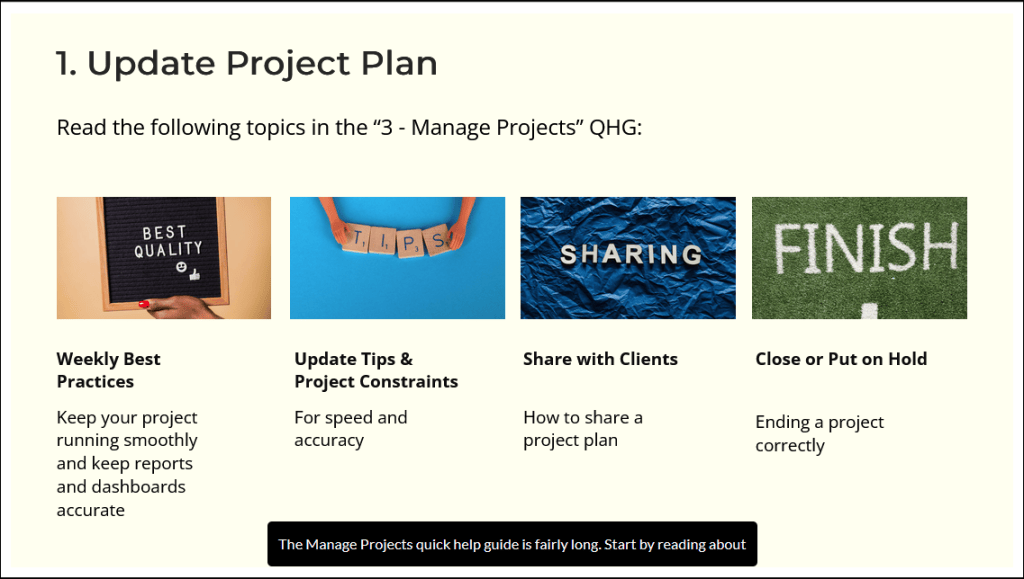
Rise: I created this course before AI Assistant existed. I build courses based on research, which shows that a variety of learning modalities keeps learners engaged and leads to greater knowledge retention. This course includes a mixture of text, different types of interactions, videos and quizzes.Storyline: Two of my guiding principles are 1) Make the learn think and 2) Do not annoy the learner. A “Try Me” sim in Storyline, with guidance when they select the wrong thing, meets both principles.Storyline: The challenge: How to introduce a lot of reports in an application, where different roles each access a different subset of those reports? This was my solution for how to orient learners at the start of the reports lesson. Hovering over the role turns reports that are available to that role blue. The learner later selects their role to learn only about those reports.Storyline: I keep my Storyline courses clean but visually appealing. With AI easily adding closed captions, I can provide more context in the audio, and all learners can hear or read the added details. This slide is also an example of my move towards 50/50 training, with only 50% of the content in a course and 50% in a quick help guide. With AI, learners can easily search both after completing the course, and this speeds up my development time.
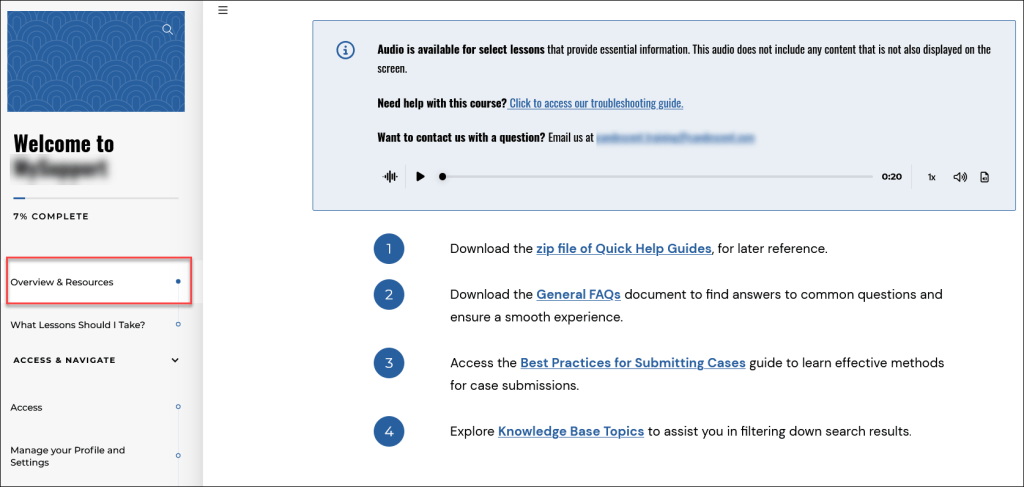
Rise: I created this course using AI Assistant in Rise. The SME gave me a 2-page document covering the differences between Standard Personally Identifiable Information and Financial PII, and I let AI Assistant do its thing. I spent about 5 hours validating the content and removing some wordiness, instead of the roughly 40 it would have taken to design and develop the course without AI. CSat scores were 100%, with nothing but positive comments.Storyline: In this course for support staff, I have a lesson with intro videos to the features, followed by scenarios that then include a more detailed video. This portfolio item shows two of these scenarios. Note that whether the learner gets the answer right or wrong, they are offered the longer video.Camtasia: When creating a video to be embedded in a Storyline course, I often use music and text callouts, as in this example. This gives the learner a break from listening to my voice (or “my” AI voice). For a video embedded in a Rise course, I usually record a voice track to give the learner a break from reading. I use “my” Articulate AI voice to record the video in Camtasia, so that it matches “my” voice used to record certain blocks in Rise. I am careful with video pacing so it’s not too fast. Learners need time to think in order to absorb information.Rise: When my team started using Rise, we linked to each training guide at the relevant spot in each block. Our learners let us know they did not like this – they were used to the Resources tab in Storyline, where they could see and download all the resources at once. My solution: The first lesson in a Rise course is prominently called Resources and all guides are located here, to download at the start or easily find later. I zip up most guides for faster download (based on my “Do not annoy the learner” principle).